Viewing consults that are missing a chart
To view consults that are missing a chart entry, go to Charting > My charts > Uncharted consults.
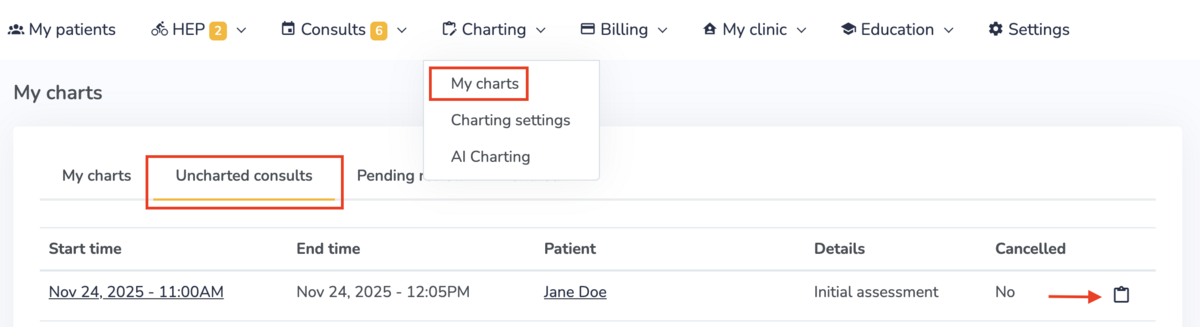
To quickly create a chart entry for the consult, click on the "Charting" icon.
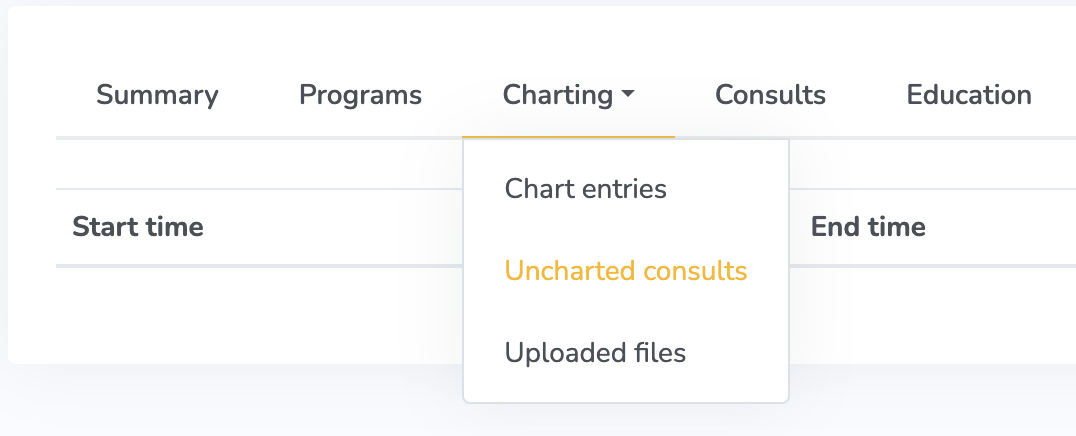
For a specific patient, you can view the consults that are missing a chart entry by going to Charting > Uncharted consults from the profile page.