Invoices and statuses
If your clinic has set up statuses, some statuses can automatically generate a patient invoice. Check out this guide to learn how to set up statuses.
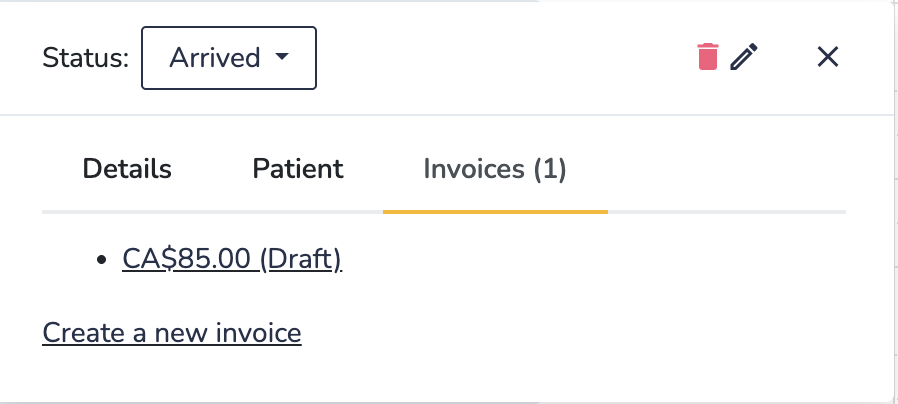
In the example below, setting the status to Arrived will automatically generate a patient invoice.
Setting a Status on the Consult Page
To set the status on the consult page:
- Next to the patient’s name click the status button (see #1 in the image below).
- Select Arrived from the list.

Since the Arrived status is configured to generate an invoice, a draft invoice will be created automatically. (Note: This behavior may vary depending on your clinic’s settings.)
To view the invoice, click the link provided (#2 in the image above).
Setting a Status on the Calendar
To set the status on the calendar:
- Click on the appointment and click on the drop down next to Status:
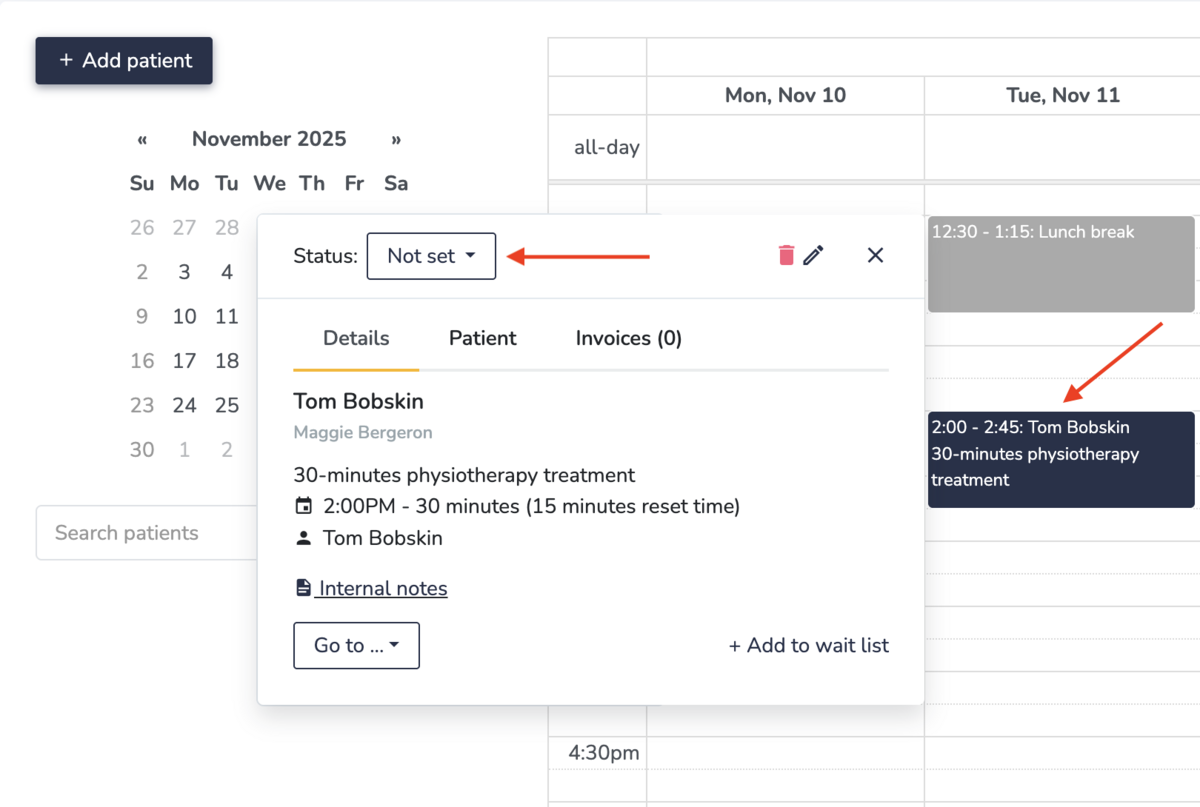
- Select your desired status. In this example we selected "Arrived" which generated a draft invoice.